
HubSpot Data Hub services
HubSpot Data Hub, set up for data your teams can trust
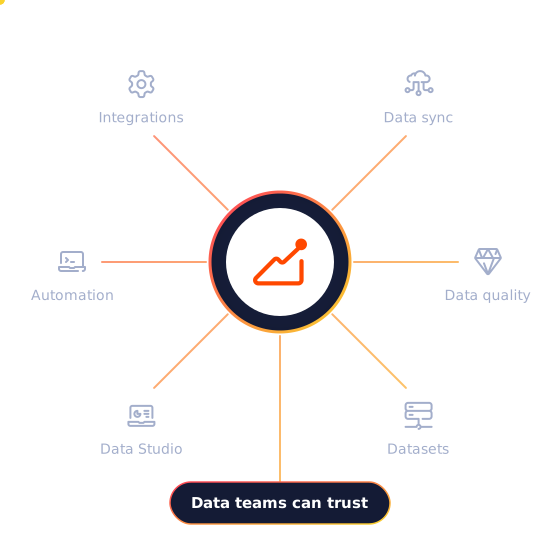
HubSpot Data Hub, formerly Operations Hub, is HubSpot's data management software: two-way data sync with your other systems, data quality tools, automation and Data Studio for bringing outside data into HubSpot. It is what keeps the CRM accurate as your business and tech stack grow. Cybersolve plans and builds it around how your data actually flows.
● Duplicates merged
Flagged by HubSpot's data quality tools
Trusted by businesses like these














What's new
Cleaner data, with less manual work
Data Hub now uses AI to suggest formatting fixes and to update or categorise records, and Data Studio brings outside data into HubSpot without code. As of October 2026, these are the features worth knowing about.
Data agent
Monitors intent signals and updates or categorises records with AI, and in workflows on Professional.
Limited on Starter
Full on Professional
Data Studio
Builds datasets from spreadsheets, data warehouses and CRM records, for use in segments, workflows and reports.
Beta
Professional and Enterprise
Data quality overview
Scans your CRM for problems, every two weeks on Starter and in real time on Professional.
Beta
Starter and up
AI formatting recommendations
Suggests fixes for inconsistent names, phone numbers and other property values.
Beta
Starter and up
Duplicate management
Finds likely duplicate records and merges them in bulk.
Professional and Enterprise
Data quality automation
Formats property data inside workflows and applies custom formulas automatically.
Professional and Enterprise
Programmable automation
Custom workflow actions written in code, webhooks and scheduled triggers for complex processes.
Professional and Enterprise
Data warehouse integrations
Connects HubSpot with your data warehouse, including Snowflake (some options in beta).
Enterprise
Many AI features run on HubSpot Credits, which paid plans include and which can be topped up. Features marked Beta may change.
The numbers
Unified data pays off
HubSpot's own figures. These are platform-wide rather than specific to Data Hub.
83%
Of interviewed HubSpot buyers and users say HubSpot is effective at unifying their company's data in one place
95%
Of surveyed HubSpot customers achieve a positive return on investment
Source: HubSpot ROI Report 2025: 424 video interviews with software decision makers and CRM users (January 2025) and a survey of 1,546 CRM users (August 2025). Results for individual businesses vary. These are HubSpot's figures, not Cybersolve's.
Want to know how clean your CRM data really is?
Book a Data Hub consultationFeatures
Keep every system in step
What Data Hub does for the people who look after your data and processes.
Sync data both ways
Two-way data sync with selected HubSpot-built integrations, with custom field mappings, from Starter. Other systems can be connected through custom API work.
Fix and prevent bad data
A data quality overview from Starter; real-time scans, duplicate management and data quality automation from Professional.
Automate complex processes
Up to 400 workflows with webhooks, scheduled triggers and custom code actions on Professional.
Bring in outside data
Data Studio datasets from Professional; data warehouse integrations and custom objects on Enterprise.
Editions and pricing
Which edition fits
Starter syncs your apps. Professional is where data quality automation, code actions and Data Studio begin. Enterprise adds data warehouse connections and custom objects.
Starter
Suits
Teams that need their apps to stay in sync
What it adds
Two-way data sync with custom field mappings, a data quality overview and the data agent (limited)
Professional
Data quality automation starts here
Suits
Growing teams with more systems and processes
What it adds
Real-time data quality, duplicate management, data quality automation, programmable automation, Data Studio and custom reporting
Enterprise
Suits
Businesses with a data warehouse or complex data model
What it adds
Data warehouse integrations, custom objects, sandboxes, access controls and higher limits
HubSpot pricing
What will Data Hub cost?
HubSpot currently offers per-seat pricing alongside its established plans, and what you pay depends on the edition, the number of seats and the credits you use. Cybersolve will work out the right set-up and cost for your team before you commit.
What makes up the cost
Edition
Starter, Professional or Enterprise
Seats
Paid seats only for the people who need them
Credits
A monthly allowance for AI features and agents
Onboarding fee
None
HubSpot does not charge an onboarding fee for Data Hub. Cybersolve can still lead your set-up.
Services
How Cybersolve helps
A one-off clean-up, an integration project, a deeper build or someone to look after your data for you.
Service
When it fits
What you get
Data review and clean-up
Your CRM data has duplicates, gaps or inconsistent formats
A review of your data, a clean-up plan and the fixes, with automation to reduce repeat problems
Integrations and data sync
HubSpot needs to stay in step with finance, ERP, product or support tools
Sync rules designed with your teams and set up through native integrations or custom API work
Automation and data model
Your processes outgrow standard workflows
Programmable automation, Data Studio datasets and, on Enterprise, custom objects built around your business
Managed data operations
You want someone to own data quality
Ongoing monitoring, fixes and improvements from a HubSpot-certified team
Data work often sits alongside RevOps and CRM management. Platforms Cybersolve regularly connects include NetSuite, QuickBooks, Sage, Salesforce and Shopify.
Data Hub has no required onboarding fee on HubSpot's established plans. If you are also buying Marketing, Sales or Service Hub Professional or Enterprise, HubSpot's onboarding fee for those can be waived when Cybersolve leads your onboarding, for customers in the UK, the US and South Africa.
Watch
Why AI needs connected customer data
HubSpot on why AI tools are only as useful as the customer data behind them, which is the problem Data Hub is built to solve.

Why Cybersolve
Data work that serves the whole business
HubSpot Gold Solutions Partner with a HubSpot-certified team
More than 100 HubSpot implementations
RevOps, integrations and CRM management under one roof
Founded in 2015
“Helped us with our dashboard building. We could finally see what was happening in our business: our sales process, the customer journey and marketing automation.”
HK
H.K.
Banking and Financial Services · HubSpot review
★★★★★
More HubSpot Hubs
Every Hub runs on the same Smart CRM
Most businesses start with one or two Hubs and add more as they grow.
What is HubSpot Data Hub?
HubSpot's data management software. It syncs data between HubSpot and your other systems, finds and fixes data quality problems, automates complex processes and brings outside data into HubSpot through Data Studio.
Is Data Hub the same as Operations Hub?
Yes. Data Hub is the current name for what HubSpot used to call Operations Hub, with newer features such as Data Studio and AI data quality tools.
Who is Data Hub for?
Businesses whose CRM has to stay in step with other systems, or whose data quality affects reporting and automation. Operations, RevOps and marketing operations teams get the most from it.
Do we need Data Hub to integrate HubSpot with other systems?
Not always. Many integrations work without it. Data Hub adds two-way data sync with custom field mappings, data quality tools and code-based automation for more demanding set-ups.
Does Data Hub Professional include custom objects?
HubSpot's own sources currently disagree on this. Custom objects are clearly included on Enterprise editions, so it is worth checking against your plan before you buy.
Can you clean up our existing CRM data?
Yes. Depending on the state of your data, work usually starts with a review of duplicates, missing values and formatting, then a clean-up plan and the automation to keep it clean.
Get in touch
Get your data working for you
Book a consultation and tell Cybersolve which systems hold your customer data today. You get back a clear plan for keeping them in step.
Your enquiry goes to a specialist, not a sales script
No obligation and no hard sell
Calls arranged around your time zone
Book a consultation
Hang tight! Your form is loading...